RTL-SDRs and SDR Pro: The Cheapest Way to Explore Wireless Signals
How a $25 USB dongle turned into a gateway to RF exploration. And why SDR Pro is the first app any RTL-SDR beginner should install.
A few years ago, someone discovered that cheap USB TV tuner dongles could be repurposed as wideband radio receivers. Those dongles, built around the RTL2832U chipset, can tune from roughly 24 MHz to 1.7 GHz. The catch: they were never designed for this. They were designed to demodulate television signals. But with the right software, you can point them at virtually any wireless transmission and decode what you’re seeing.
The RTL-SDR phenomenon exploded because the barrier to entry vanished. For less than the cost of a decent coffee maker, you could own a tool that serious RF engineers had paid thousands of dollars for just a decade earlier.
The problem was that the software side remained intimidating. GNU Radio, HDSDR, and other traditional SDR applications are powerful but steep learning curves. They assume you already understand FFTs, demodulation, sample rates, and IQ data. If you’re just curious about what’s in the spectrum, you get a wall of menus and cryptic settings.
Enter SDR Pro. It’s the missing piece that turns an RTL-SDR from an interesting hardware hack into something genuinely practical and accessible. Made by Powered Sciences, it’s available for download on Google Play or you can learn more at poweredsciences.com.
What Can You Actually Do With an RTL-SDR?
Before diving into SDR Pro itself, it’s worth understanding what you’re looking at when you point an RTL-SDR at the air. The spectrum is crowded, and the transmissions you’ll find are everywhere.
There are obvious things like FM radio stations, weather broadcasts, and aircraft transponders. But the truly interesting landscape sits below and above those. You can listen to trunked police and fire radio systems. You can decode NOAA weather satellite images. You can watch the digitized heartbeat of a garage door opener as it tells itself whether to move up or down. You can monitor amateur radio repeaters and observe how they coordinate regional networks. You can intercept pager messages and understand the ancient, bizarre protocol that still powers numeric pagers in some critical infrastructure contexts.
The technical reason RTL-SDRs work for any of this is deceptively simple: they capture the raw RF signal and convert it into samples you can analyze. Everything else is computation. Want to hear FM radio? Filter the signal, demodulate the frequency-modulated carrier, and play the audio. Want to decode a digital signal like a garage door opener? Demodulate the amplitude or frequency shifts (ASK or FSK), extract the bit stream, and interpret the bytes. The hardware is the same. The software just changes how you look at the data.
Understanding Digital Demodulation
Here’s where most people’s intuition breaks down. An RF signal is, fundamentally, a wave oscillating at some frequency. To encode information onto that wave, you have to modulate it. The simplest methods are amplitude modulation (AM) and frequency modulation (FM), which you’ve known about since high school radio.
But digital signals use different tricks. ASK, or amplitude shift keying, is literally what it sounds like: you’re either transmitting at full power or no power, and the on-off pattern encodes your data. FSK, frequency shift keying, does the same thing but with frequency: you alternate between two tones, and the demodulator watches which tone is present.
A garage door opener using ASK might transmit a burst at high power for a logical 1 and no transmission for a logical 0. A pager using FSK might use one frequency for 1 and another for 0. Once you’ve demodulated the signal and extracted the bit stream, what you have is a number. And numbers can mean anything: button presses, device IDs, commands, data payloads.
The weird part is that this works everywhere. Walk down a residential street and look at the spectrum with an RTL-SDR, and you’ll see ASK and FSK transmissions happening constantly. Every time someone presses a garage door remote, every time a weather station reports temperature, every time a wireless power meter transmits consumption data to a utility company. These signals are in the public spectrum, visible to anyone with $25 and curiosity.
The Missing Piece: Seeing Demodulation Happen
Traditional SDR software solves the hard part: it does all the math to demodulate signals and extract data. But that’s actually the problem for someone trying to learn. You get audio out or a bit stream, but you don’t get to watch the mechanics of how a wave becomes data.
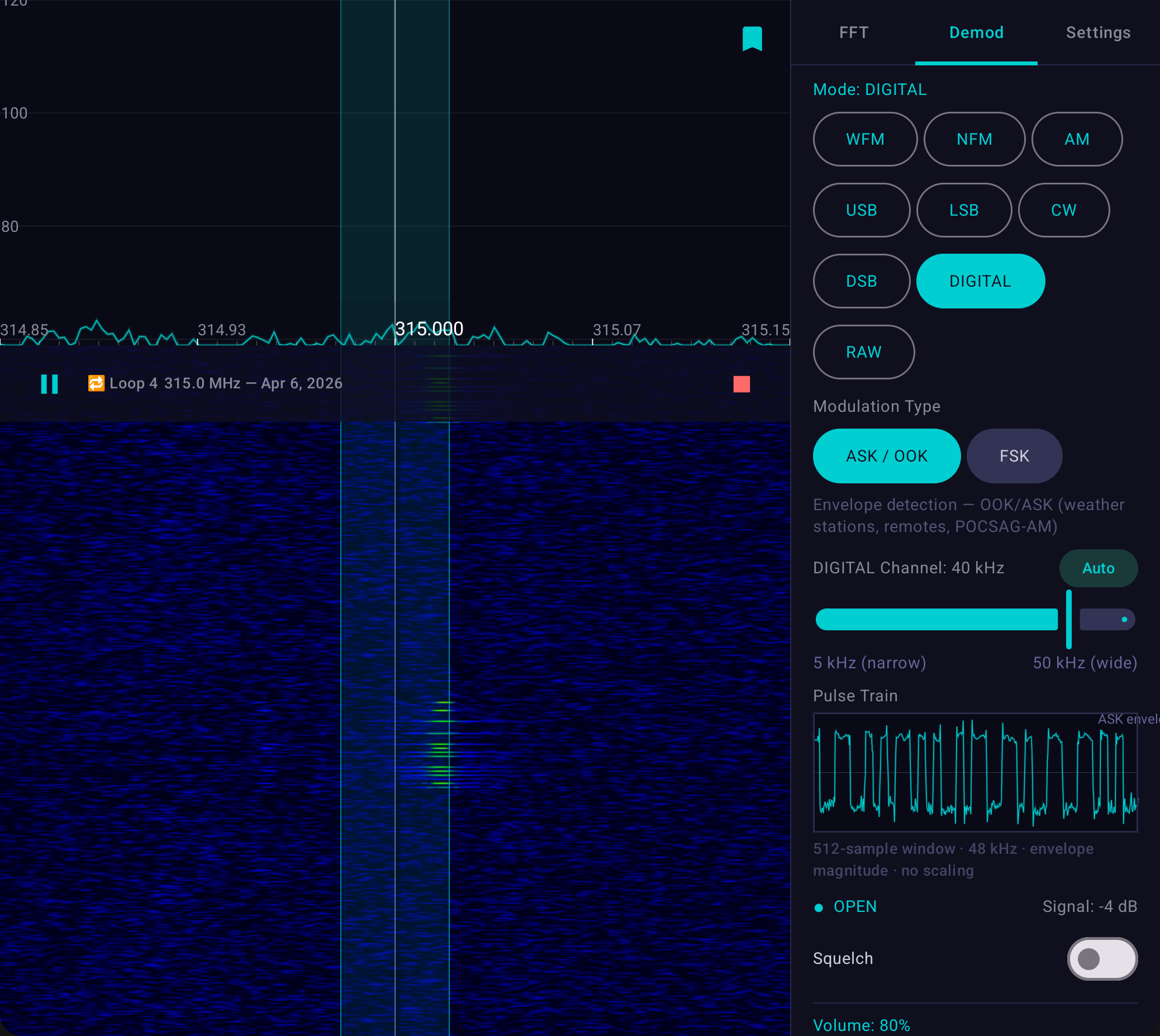
This is where SDR Pro changes the game. It’s built specifically to show you the pulse train of the demodulated signal in real time. You tune to a garage door remote’s transmission, and instead of just getting silence or gibberish, you watch as the demodulator extracts a clean digital signal. You see the ASK modulation happening: the amplitude rising and falling in a precise pattern. Or you watch an FSK signal switching between two frequencies, and the demodulator pulls out the tone that’s present at each moment.
That visualization is worth everything. It takes an abstract concept — “the demodulator extracts the data” — and makes it tangible. You’re not trusting that it’s working. You’re watching it work.
Why RTL-SDRs Are Still Cheap (And Why That Matters)
The economics of RTL-SDRs have never changed. The chipsets were designed for commodity TV tuners, and they’re still manufactured in those volumes. The RTL2832U receiver and the R820T tuner don’t cost much individually, and the supporting components are simple. A finished dongle clocks in around $25-30 for a quality one (RTL-SDR Blog V4, NooElec, or compatible variants).
Compare that to professional spectrum analyzers, which cost tens of thousands of dollars. Compare it to HAM radio transceivers, which start at $200 and go up from there. For the price of one tank of gas, you own hardware that can receive signals from 24 MHz to 1.7 GHz across most of the radio spectrum.
The catch is that RTL-SDRs are receivers only. They can’t transmit. This is actually a feature in disguise, because it means the legal issues mostly disappear. In most jurisdictions, merely receiving signals is not only legal but invisible. Nobody knows you’re listening. It’s spectrum analysis as a spectator sport.
SDR Pro: Built for Android, Built for You
SDR Pro turns an Android phone or tablet into the analyzer. You plug in an RTL-SDR via USB OTG (a cheap adapter), and the app takes over. What makes it different from other Android SDR apps is that it was built by people who understand that beginners need a different experience than professionals.
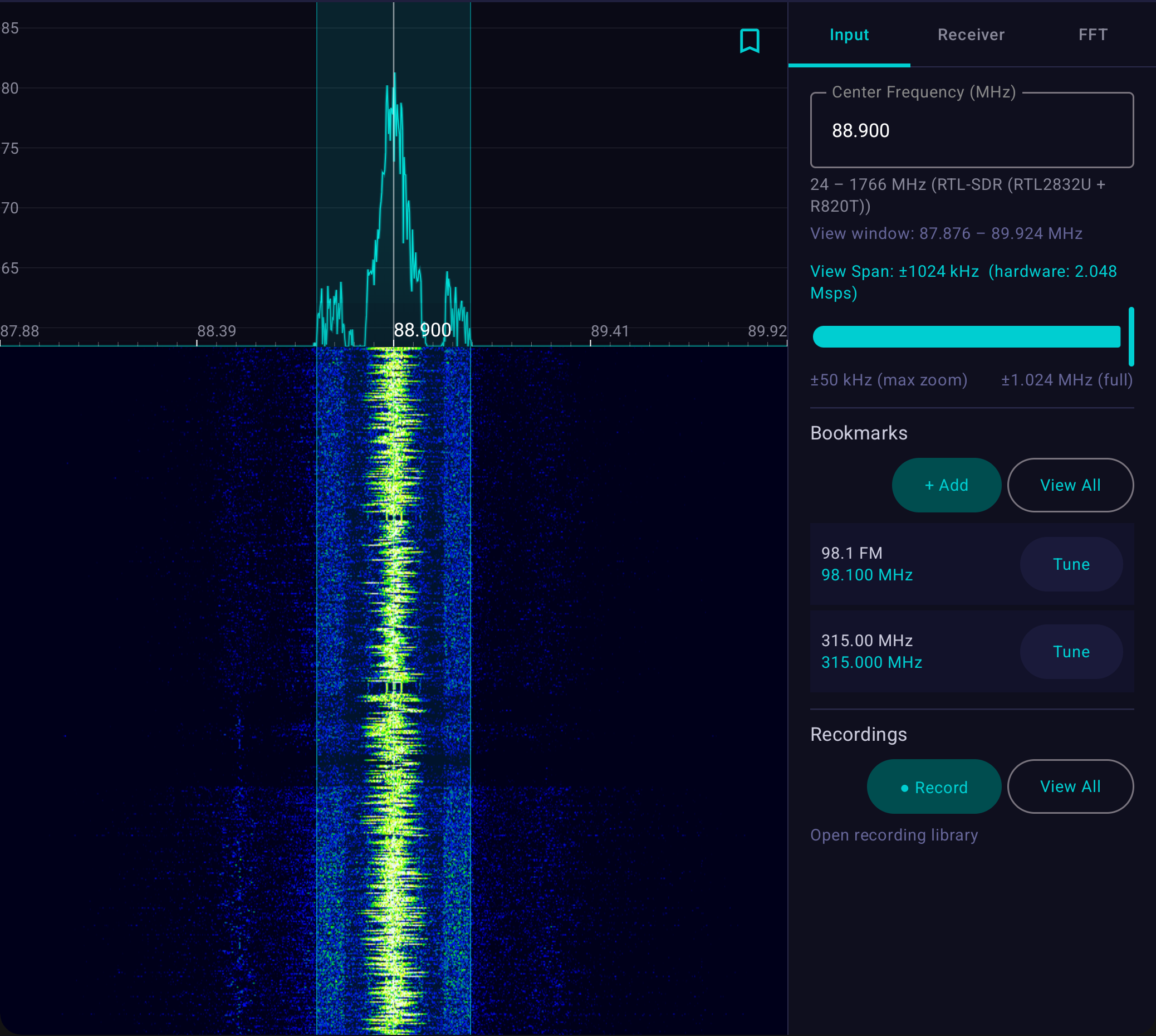
The interface is clean. The waterfall display updates at 60 fps and is buttery smooth. You touch the waterfall to tune instead of typing frequencies. You can drag left or right to sweep through the spectrum or pinch to zoom in. There’s a real-time FFT spectrum plot showing signal strength across your current tuning range. It just works.
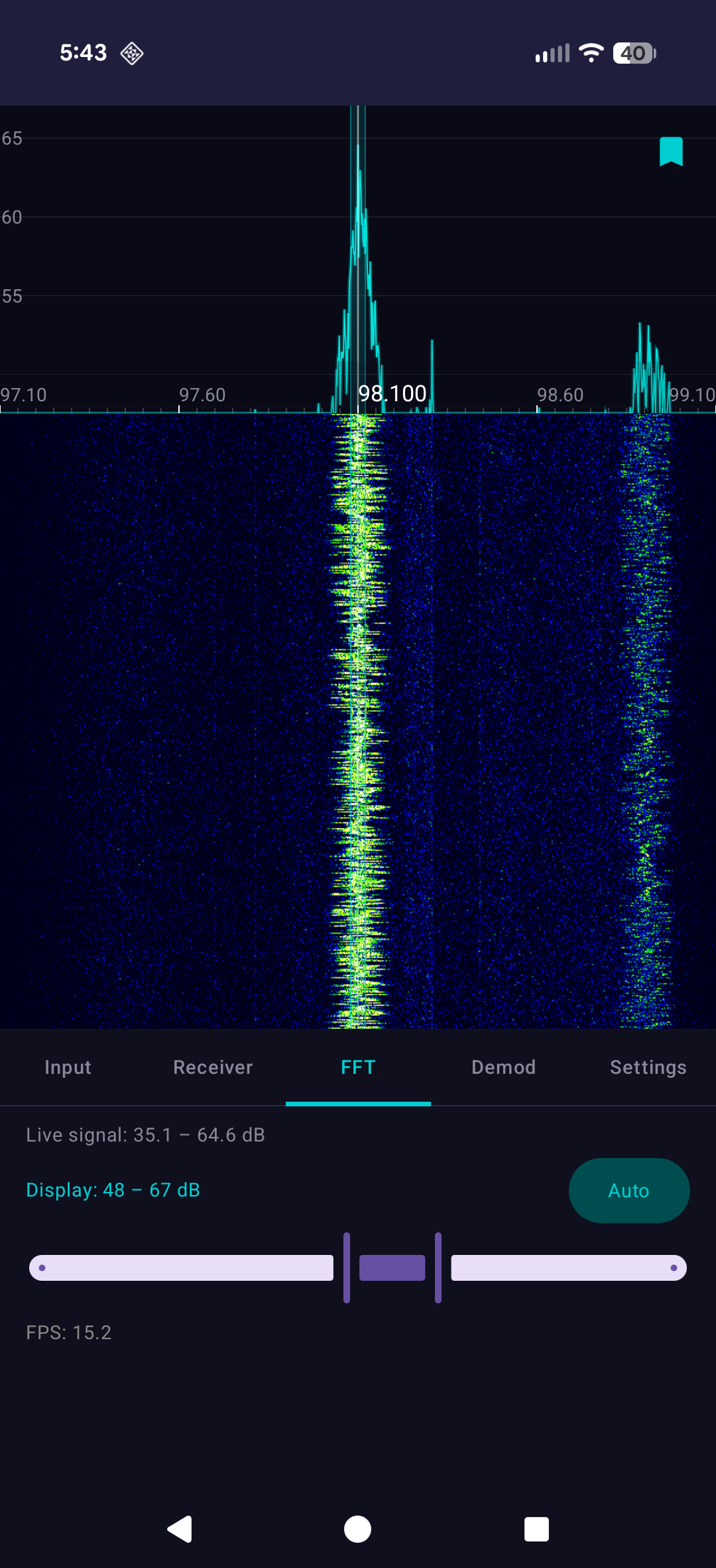
You can demodulate AM, FM, USB (upper sideband), and LSB (lower sideband) to listen to audio. There’s a built-in squelch control that silences background noise. But more importantly, you can access digital demodulation modes that show you the pulse train of ASK and FSK signals in real time. That visualization is the whole point. It’s not just decoding the signal for you. It’s teaching you how signals become data.
Recording and Analyzing
One of SDR Pro’s most useful features is the ability to record IQ data directly to your Android device in IQ16-LE format. IQ data is raw quadrature samples, which is the universal currency of SDR work. Every SDR application understands it. GNU Radio understands it. HDSDR understands it. SigDigger understands it.
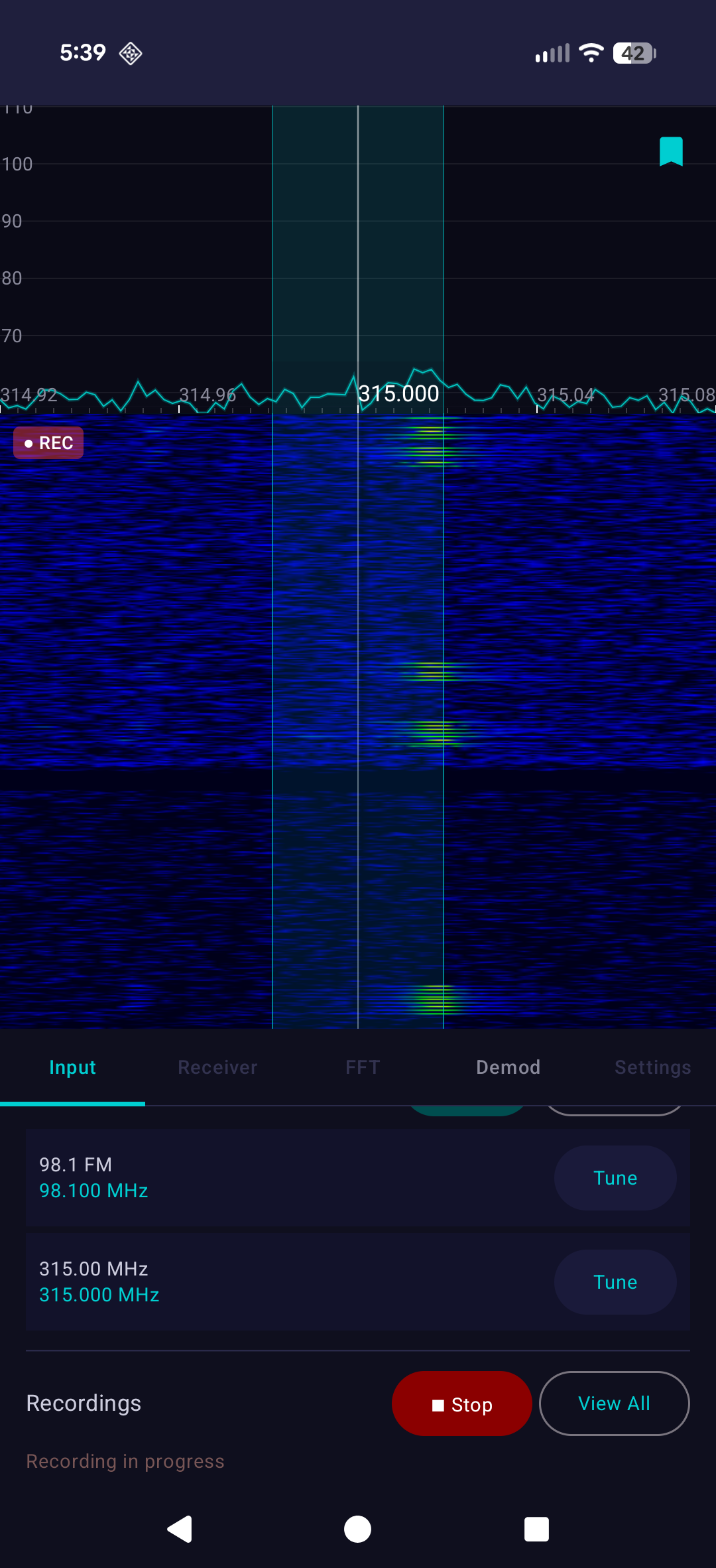
This means you can record a signal on your phone and later analyze it on a desktop computer in more advanced software. You’re not locked into SDR Pro’s capabilities. You’re using it as a capture device for signals you want to study later. Export is one tap. No conversion, no proprietary formats, no hassle.
You can also replay recordings directly in the app as if they were live. The waterfall, spectrum, and demodulator all work identically on recorded data as they do with a live antenna. This is invaluable for learning. Capture an interesting signal, replay it a few times, watch how the demodulation works, zoom in on different parts of the signal, see how the bit pattern changes. You can pause and resume, which you can never do with a live transmission.
Who Should Care
If you’re into amateur radio, SDR Pro gives you a way to monitor repeaters and visualize bands from your pocket. If you’re a cybersecurity researcher, you can inspect RF emissions in the field, capture them, and analyze them later in the lab. If you’re a hardware hacker or maker, you can explore everything from aircraft transponders to weather satellites. If you’re a student or educator, the waterfall makes abstract radio concepts immediately visual.
The prerequisite is curiosity. You don’t need a license (though many people get one once they catch the RF bug). You don’t need expensive equipment beyond the RTL-SDR dongle itself. You don’t need to understand calculus or complex numbers or DSP. You need a phone, an adapter, a dongle, and the willingness to learn what’s happening in the spectrum.
Getting Started
The hardware setup is trivial. Order an RTL-SDR dongle (the RTL-SDR Blog V3 or V4 is what most people buy). Grab a USB OTG adapter if your Android device doesn’t have USB-C. Install SDR Pro from Google Play. Plug it in.
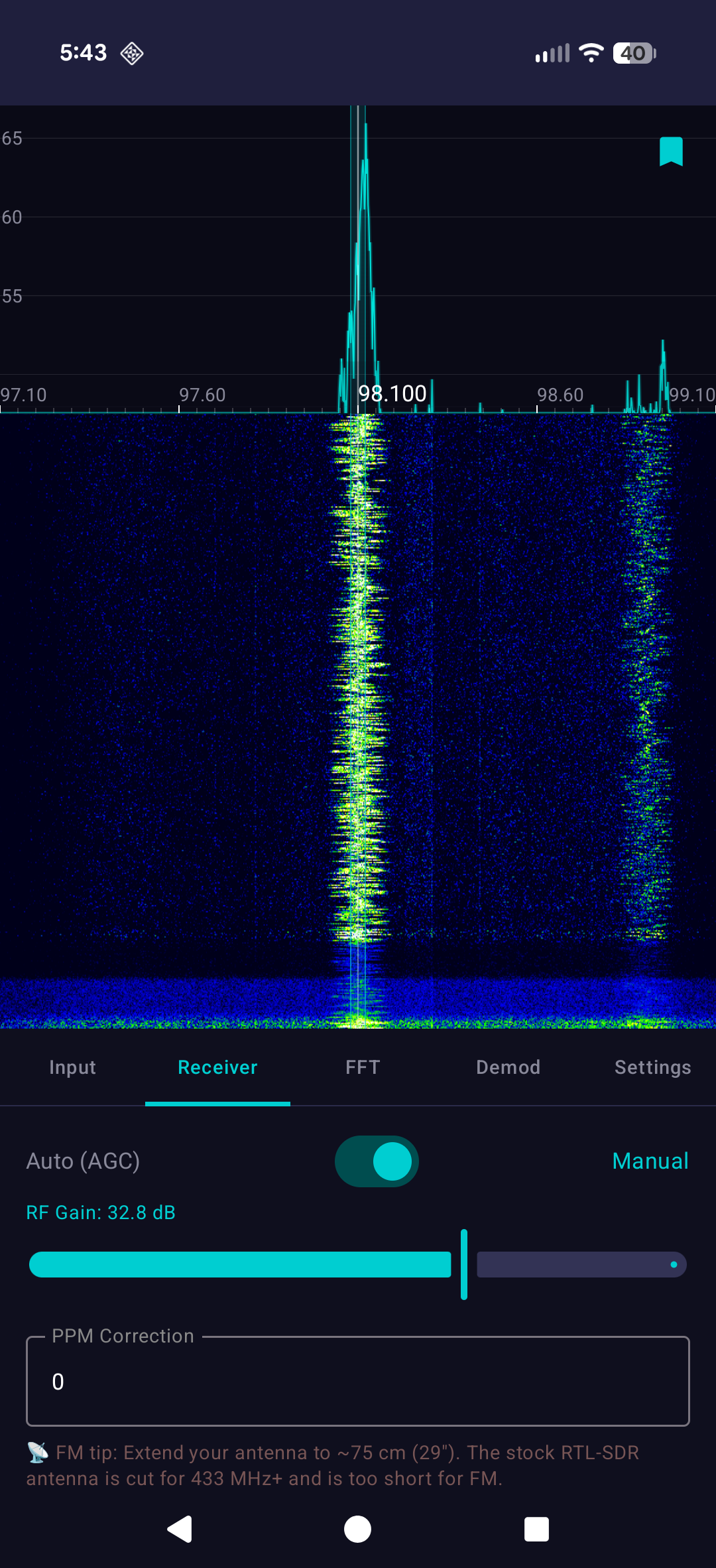
The first time you run it, set a frequency. Try 101.5 FM in your area. You’ll see a spike in the waterfall and hear your local radio station. Switch to AM, try an aircraft frequency (around 121.5 MHz). Listen for air traffic control communications. Tune to around 314 MHz and look for wireless power meters. If you find garage door remotes (typically around 390-460 MHz depending on region), you’ll see sharp bursts with clean pulse trains.
Each of these is a rabbit hole. Learning how pagers work leads to understanding why they’re still used in emergency services. Learning how aircraft transponders work (ADS-B at 1090 MHz) leads to building a local ADS-B receiver and plotting planes on a map. Learning about analog demodulation leads to wondering how digital signals work, which leads to GNU Radio projects, which leads to deep RF hacking.
But you don’t need to know any of that on day one. SDR Pro meets you where you are. It shows you the spectrum, lets you listen to audio, and if you want to go deeper, it gives you the tools to capture and replay signals. The pulse train visualization of ASK and FSK demodulation is the bridge between casual observation and real understanding.
Privacy and Practicality
SDR Pro doesn’t require an account. There’s no tracking, no analytics, no ads. Your recordings stay on your phone. You’re in complete control of your own spectrum analysis.
The app is optimized for larger screens, which matters if you’re using a tablet or a phone with a larger display. The waterfall and spectrum expand to fill available space. Foldable devices get special support, so you can use the fold as a stand and see more spectrum detail simultaneously.
All of this costs $2.99 as a one-time purchase. That’s cheaper than the USB OTG adapter. Compared to the alternatives (GNU Radio requires a learning curve of weeks, professional software costs thousands), it’s a bargain.
Get Started Today
Ready to explore the spectrum? Download SDR Pro from the Google Play Store today:
Download SDR Pro on Google Play
Want to learn more about the app’s features? Visit:
Where This All Leads
Getting into RTL-SDRs as a hobby doesn’t obligate you to anything. You can spend an afternoon poking around the spectrum and never think about it again. Or you can spend an afternoon and end up fascinated by how wireless communication works at the signal level.
Some people build automated systems that decode pager messages and post them to Discord. Some people track aircraft and weather balloons. Some people decode digital TV or weather satellite imagery or maritime AIS broadcasts. Some people get licensed ham radio operators and start transmitting. Some people move into professional RF security work.
All of that starts with the same $25 dongle and the curiosity to tune to a frequency and listen. SDR Pro removes the technical barrier that once prevented beginners from doing exactly that. It’s the first stop for anyone getting into the hobby. Everything else is optional.